
Imagine you’re out for the day, and your phone’s battery suddenly drops to 10%. You scramble to find a charger but can’t. Understanding battery health is crucial. It affects how long your device lasts and how well it performs. Common causes of battery drain include background app activity, extreme temperatures, and loose connections.
Key Takeaways
Close unused apps to reduce background activity and save battery life.
Keep your device in a temperature range of 50°F to 85°F to maintain optimal battery health.
Regularly check battery connections for corrosion to ensure efficient charging.
Causes of Battery Drain
Background App Activity
Many apps run in the background, consuming battery power without your knowledge. These apps can include social media, location services, and messaging platforms. To reduce battery drain, close apps you do not use frequently. You can also adjust settings to limit background activity.
Extreme Temperatures
Extreme temperatures can significantly affect your battery’s performance. High heat can temporarily boost performance but leads to faster degradation. Cold weather can reduce charging efficiency. For optimal battery health, keep your device in a temperature range between 50°F (10°C) and 85°F (30°C).
Tip: Avoid leaving your device in direct sunlight or freezing conditions to prevent battery damage.
Loose Connections
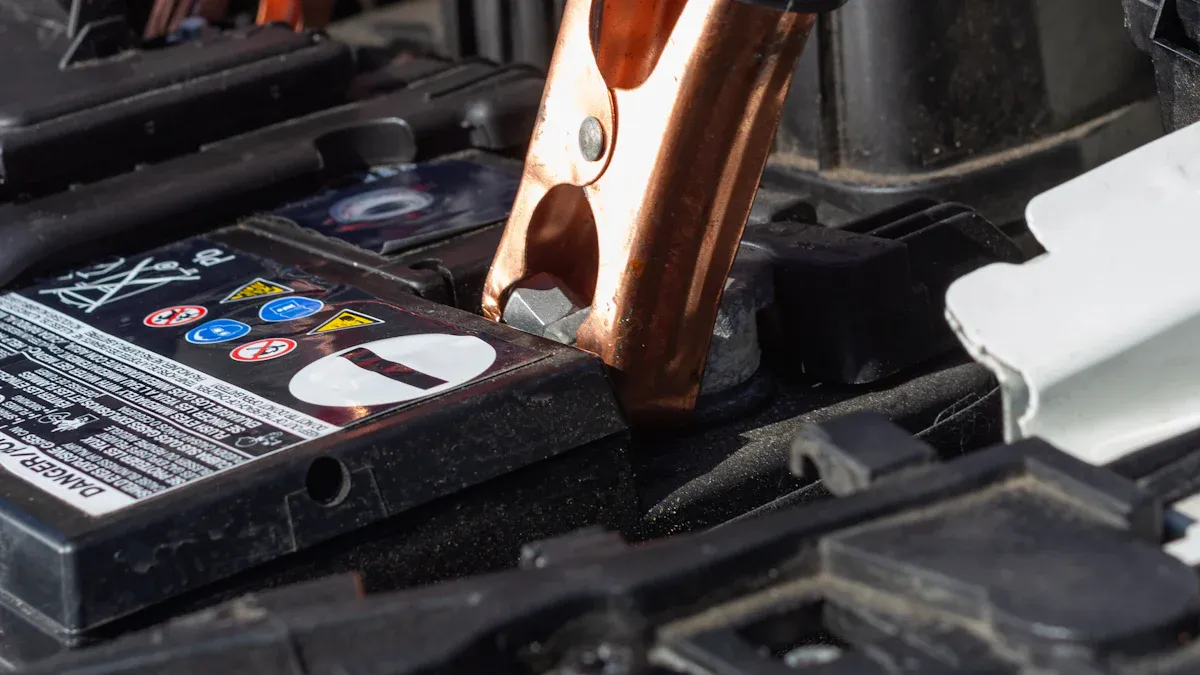
Loose or corroded connections can hinder proper charging. This can leave your battery partially charged, leading to unexpected drain. Regularly check your battery terminals for corrosion and ensure they are tightly connected.
Issue | Impact on Battery Charging Cycles |
|---|---|
Corrosion and High Resistance | Blocks electrical flow, leading to poor power delivery. |
Aging and Wear | Creates loose connections that require tightening. |
Alternator Issues
In vehicles, alternator problems can cause battery drain. A faulty alternator can leak current, draining the battery even when the vehicle is off. Signs of alternator issues include dim headlights and difficulty starting the engine.
A dead battery after parking overnight.
Flickering dashboard lights.
Unusual smells from the engine.
Parasitic Battery Drain
Parasitic battery drain occurs when electronics draw power while the vehicle is off. Common sources include faulty relay switches and malfunctioning alternators. To prevent parasitic battery drain, disconnect devices when not in use and regularly check for faulty components.
By understanding these common causes of battery drain, you can take steps to maintain your battery’s health and performance.
Identifying Battery Drain

Signs of Parasitic Battery Drain
You may notice your battery draining faster than usual, even when your device is off. This could indicate parasitic battery drain. To identify this issue, look for these signs:
Dim headlights in your vehicle.
Difficulty starting your engine after it has been parked.
Flickering dashboard lights when the engine is running.
If you suspect parasitic battery drain, you can use diagnostic tools to confirm it. Here are some effective tools:
Diagnostic Tool | Method Description |
|---|---|
Test Switch and Digital Ammeter | Directly measures parasitic drain by connecting a test switch between the battery terminal and cable. |
Inductive Current Clamp | Measures current indirectly without disconnecting wiring, allowing for quick checks of parasitic drain. |
Voltage Drop Across Fuses | Checks for current flow by measuring voltage drop across fuses, identifying circuits causing excessive drain. |
Rapid Battery Percentage Drop
Have you ever experienced a sudden drop in your battery percentage? This can happen for various reasons. Sometimes, it may not indicate a serious battery health issue. Sudden drops can occur due to temporary battery recalibration or background indexing, especially after the battery has been drained to 0%.
Sudden battery percentage drops can be linked to temporary battery recalibration and background indexing, particularly after the battery has been drained to 0%. This suggests that the observed rapid drops may not necessarily indicate a direct battery health issue, but rather inaccuracies in battery readings.
However, if you frequently notice rapid drops, it may signal underlying battery health problems. Keep an eye on your battery’s performance and consider checking it if the issue persists.
Overheating Devices
Overheating can be a clear sign of battery issues. If your device feels hot to the touch, it may be struggling. Here are some common causes of overheating related to battery problems:
Battery Aging and Internal Faults: Over time, batteries undergo chemical changes that increase internal resistance and generate heat.
Charger Issues: Using mismatched voltage chargers or poor-quality chargers can lead to overheating due to overcharging.
Over-Discharge and Heavy Loads: Excessive discharge current or heavy loads can cause rapid temperature increases.
Environmental Temperature and Poor Heat Dissipation: High ambient temperatures and poor ventilation can significantly contribute to overheating.
Battery Type Differences: Different battery types behave differently under stress, with lithium-ion batteries being more prone to rapid overheating.
If your device overheats regularly, consider checking the battery and charger. Addressing these issues can help improve your device’s performance and extend its lifespan.
Fixing Battery Drain
How to Fix Parasitic Battery Drain
To effectively address parasitic battery drain, you need the right tools. A voltmeter or a digital multimeter is essential for detecting this issue. A digital multimeter is often preferred due to its accuracy and versatility. Make sure your voltmeter can measure current, not just voltage. Set it to the current (Amps) measurement setting for the best results.
Here are steps you can take to fix parasitic battery drain:
Disconnect the Battery: Start by disconnecting the negative terminal of your battery.
Connect the Multimeter: Attach the multimeter leads to the battery terminal and the disconnected cable.
Check the Reading: Look at the reading on the multimeter. A reading above 50 milliamps indicates a problem.
Identify the Source: If you find excessive drain, check each fuse one by one. Remove a fuse and see if the reading drops. This will help you identify the faulty component.
Tip: Regularly check for corrosion on battery terminals. Clean any buildup to ensure a good connection.
Adjusting Settings for Efficiency
You can significantly improve your battery’s efficiency by adjusting certain device settings. Here are some settings that have a great impact:
Setting | Impact on Battery Efficiency |
|---|---|
Display Brightness | Reducing brightness and enabling auto-brightness can save hours of battery life. |
Background App Refresh | Disabling for non-essential apps reduces battery drain. |
Location Services | Limiting access to ‘While Using App’ can significantly improve battery life. |
By making these adjustments, you can extend your battery life and reduce the frequency of charging.
Regularly Updating Software
Keeping your device’s software up to date is crucial for maintaining optimal battery health. Software updates often include performance improvements and bug fixes that can enhance battery life. Developers frequently optimize battery usage in new updates.
Here are some tips for effective software maintenance:
Update your device regularly to ensure it runs efficiently.
Update your apps to benefit from the latest optimizations and features. Some updates specifically aim to reduce the app’s power consumption.
By following these practices, you can help prevent battery drain and keep your device performing at its best.
Being proactive about battery health is essential for your device’s longevity. Here are key benefits of maintaining your battery:
Extends battery lifespan
Enhances overall device performance
Improves reliability of network systems
Implement these tips to monitor battery health and prevent drain. Your device will thank you! ⚡
FAQ
What is parasitic draw?
Parasitic draw refers to the battery drain caused by electronics drawing power when the vehicle is off.
How can I test parasitic draw?
You can test parasitic draw using a multimeter. Disconnect the battery and connect the multimeter to measure current.
What causes rapid battery drain?
Rapid battery drain can result from background apps, extreme temperatures, or faulty connections. Regular checks can help identify issues.